Phishing email examples: real emails, their red flags, and the tactic behind each one

Real phishing emails impersonating PayPal, GEICO, Credit Karma, DoorDash and more, with the red flags marked, plus the ten patterns your people are most likely to meet and what to do instead.

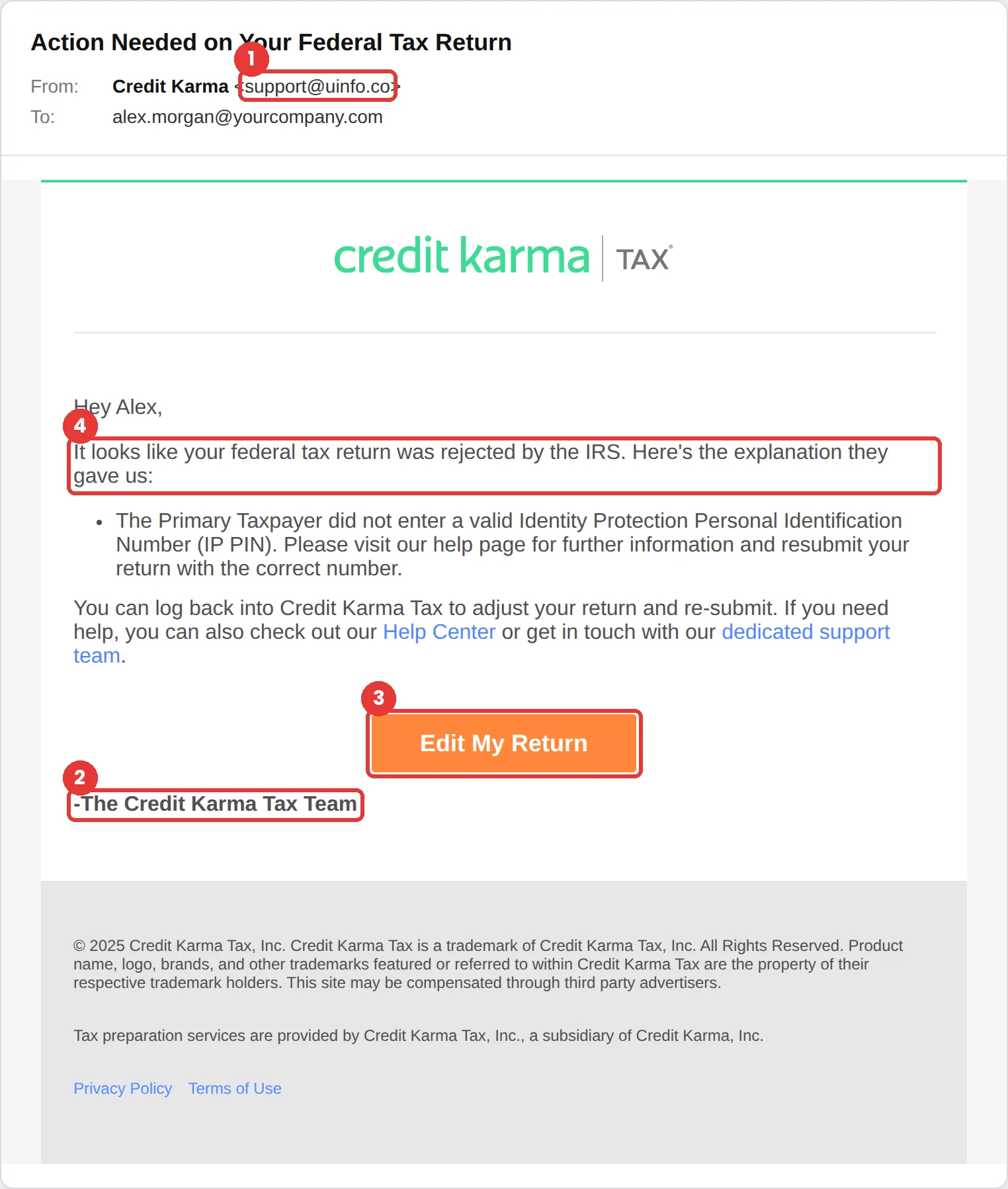
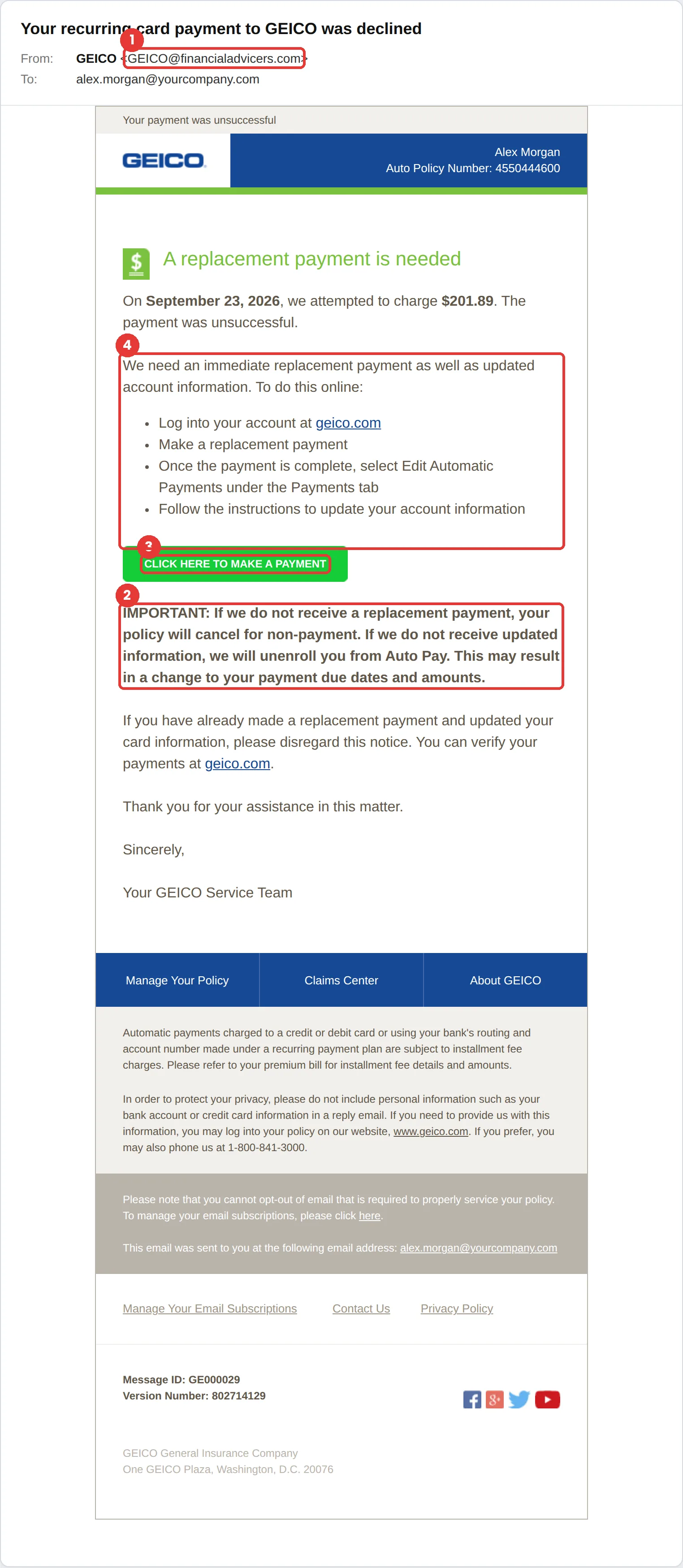
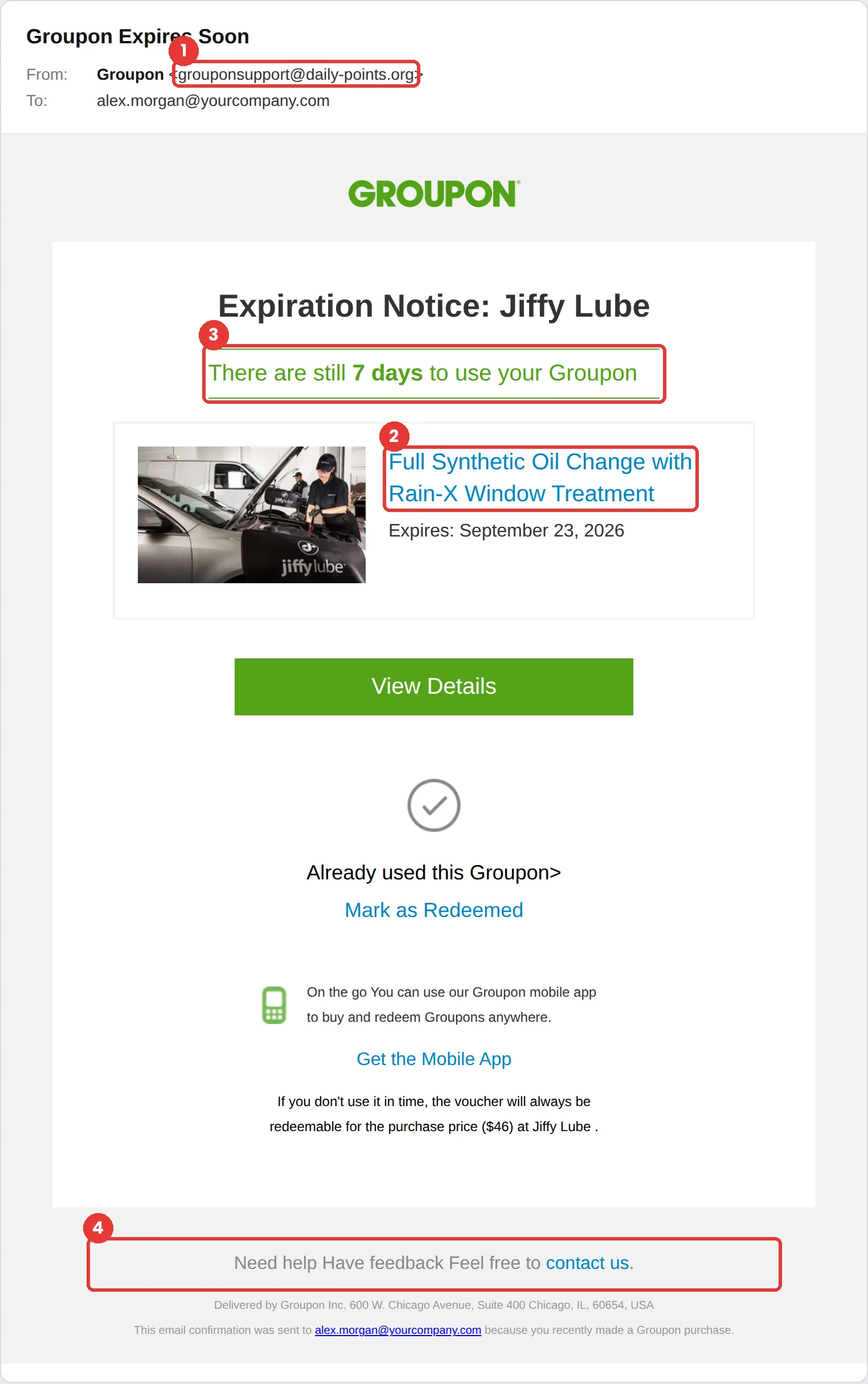
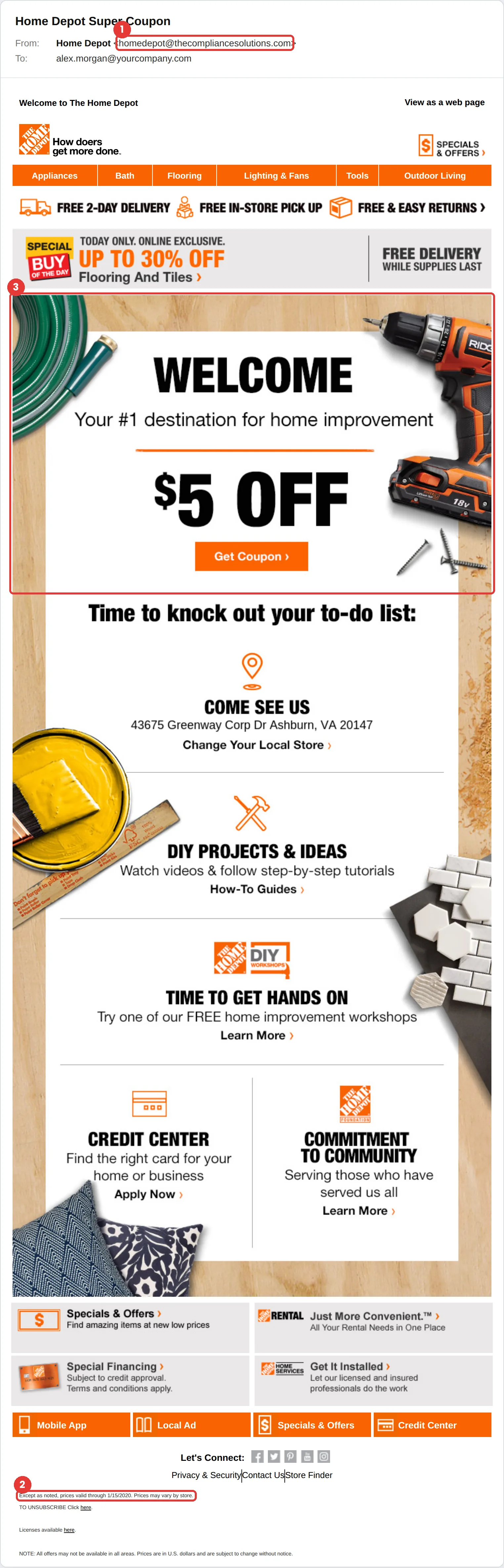
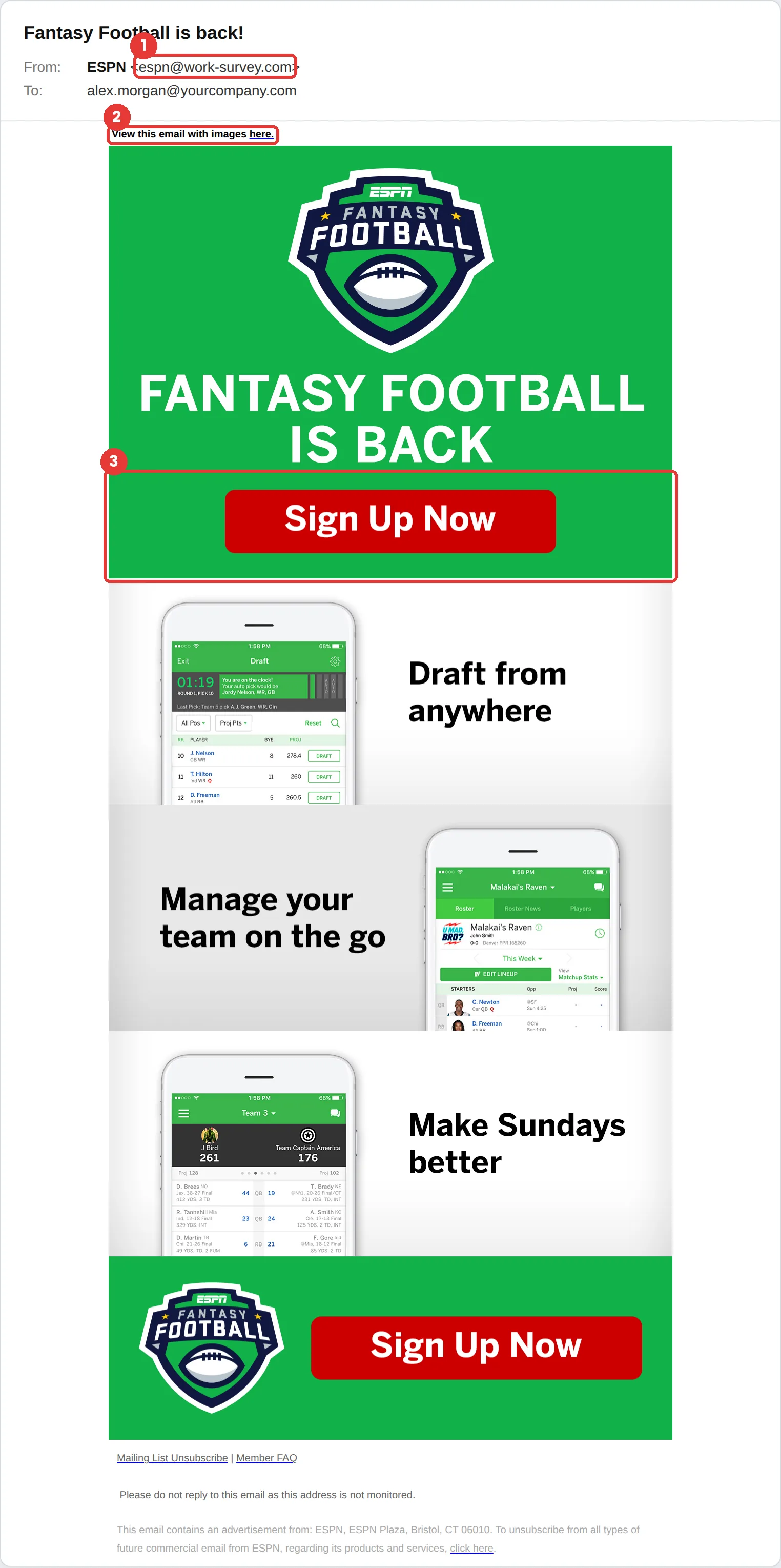
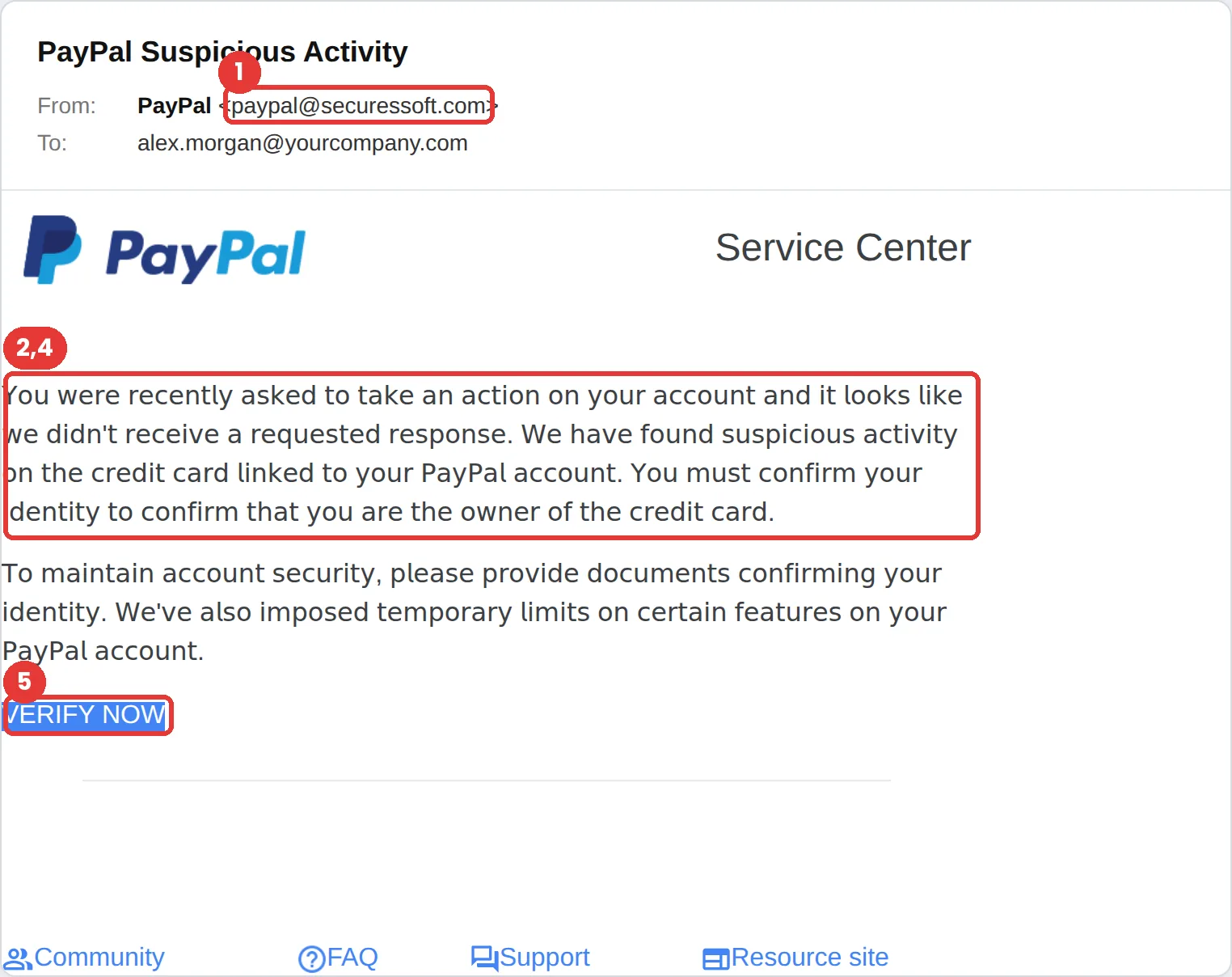
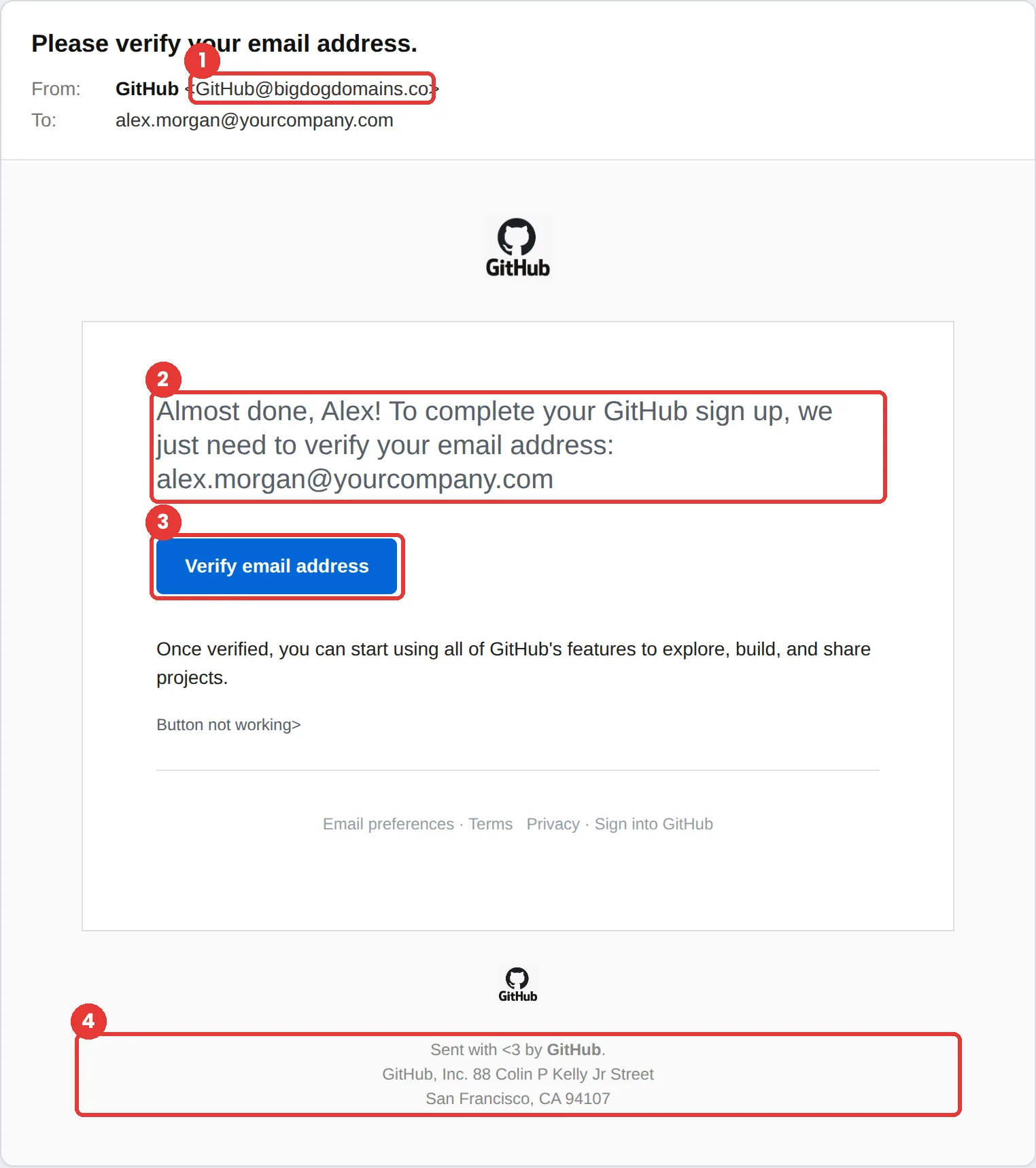
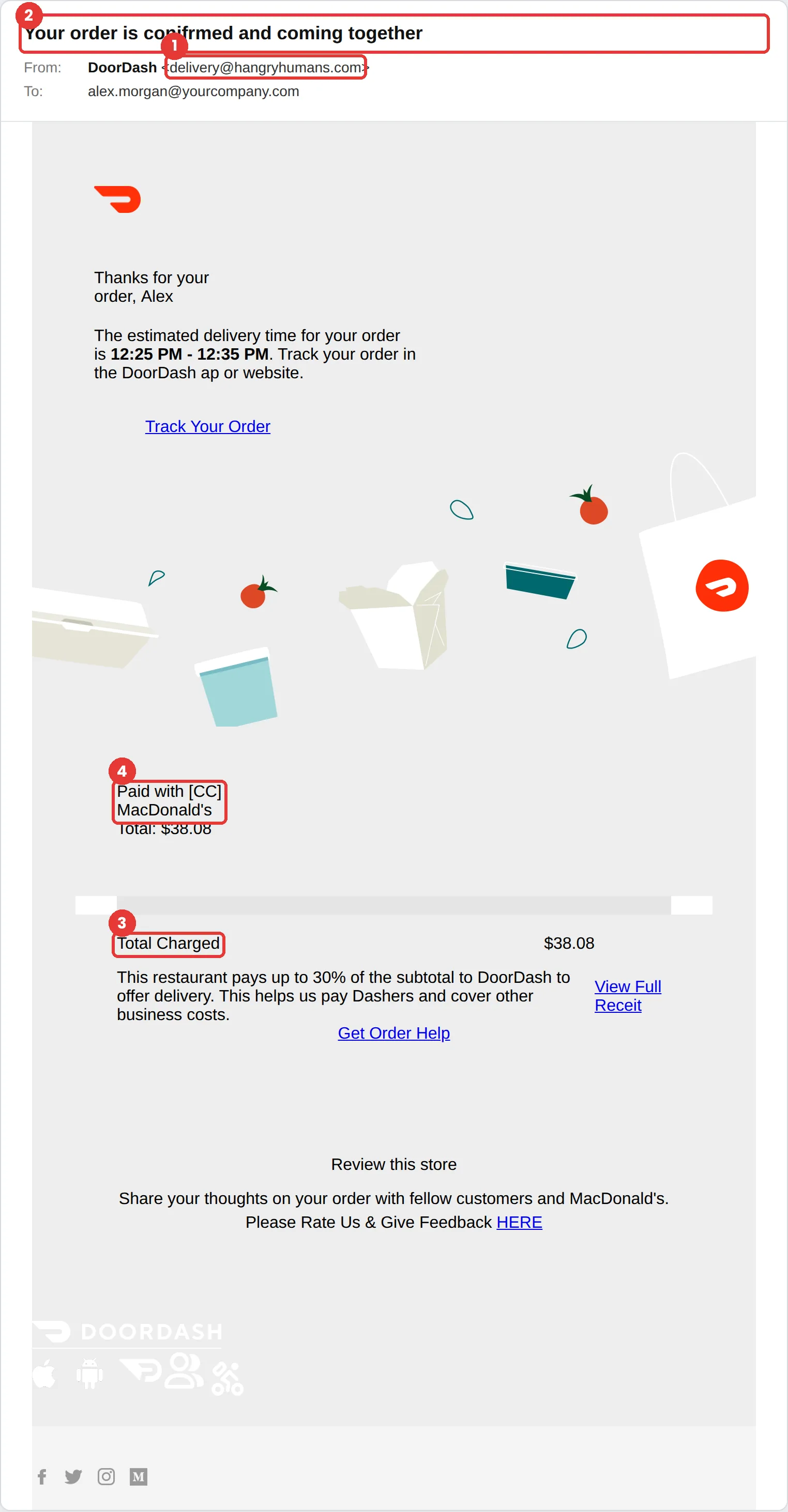
Spotting a phishing email is not really about spelling mistakes. Modern ones are well written. What gives them away is the tactic underneath — every phishing email has to make you act before you check, and there are only six ways to do that.

The six tactics every phishing email uses

Attackers are not endlessly creative. They reuse a small set of psychological levers, because those levers work on attentive people. Learn the six and the individual examples stop mattering.

TacticWhy it works
UrgencyA deadline collapses the gap between reading and acting. You react before you evaluate.
ScarcitySomething is running out. Fear of missing it overrides the instinct to check.
TrustThe message wears a brand or a colleague you already trust, so scrutiny drops.
HelpfulnessIt asks for a small favour. Most people want to be useful, especially at work.
AuthorityIt appears to come from someone senior, and questioning them feels costly.
Social ProofOthers have supposedly already acted, so complying feels normal rather than risky.

Ten phishing patterns to recognise

01

"Unusual sign-in blocked — approve this request"

Urgency
Pretends to be
Microsoft 365 or your identity provider
What it looks like
A security alert saying a sign-in from an unfamiliar location was blocked, with a button to approve or review the attempt. Often arrives alongside a genuine push notification the attacker triggered.
The tell
A real block does not need your approval to stay blocked. The button asks you to approve something, not to deny it. Hover the link — the domain will not be login.microsoftonline.com.
What to do instead
Deny the push, then sign in through your bookmark or app rather than the email, and check your recent sign-in activity.
02

"Invoice #4471 is past due — payment required today"

Urgency
Pretends to be
A supplier, or your own finance team
What it looks like
A short message with a PDF or a payment link, referencing an invoice number that sounds plausible. Frequently sent to whoever handles accounts payable, sometimes after the attacker has read a real invoice thread.
The tell
The bank details differ from what is on file, the reply-to address does not match the sender, or the invoice arrives outside the supplier’s normal billing cycle.
What to do instead
Never change payment details from an email. Call the supplier on a number you already had, not one in the message.
03

"Are you at your desk?"

Authority
Pretends to be
Your CEO or a senior leader
What it looks like
A very short, friendly message from a display name you recognize, asking whether you are available. The actual request — gift cards, a wire, a document — only comes after you reply.
The tell
The display name is right but the address is a lookalike or a free mail account. Real executives rarely open with a question designed only to confirm you are reading.
What to do instead
Verify on a different channel. A thirty-second message on Teams or Slack settles it.
04

"Your parcel could not be delivered — reschedule now"

Helpfulness
Pretends to be
A courier such as a postal service or delivery company
What it looks like
A notification about a failed delivery with a small fee to reschedule, often referencing a tracking number and arriving in a period when you are genuinely expecting something.
The tell
A legitimate courier does not collect a redelivery fee by email link, and the tracking number will not match anything you actually ordered.
What to do instead
Go to the courier’s site directly and paste the tracking number there.
05

"Updated handbook — acknowledgement required by Friday"

Authority
Pretends to be
HR or People Ops
What it looks like
A policy update with a link to a document portal that asks you to sign in to acknowledge it. Works well because the request is entirely routine.
The tell
The sign-in page appears after clicking rather than before, and the URL is a document-sharing domain you do not normally use.
What to do instead
Open your HR system from a bookmark. If the document is real, it will be waiting there.
06

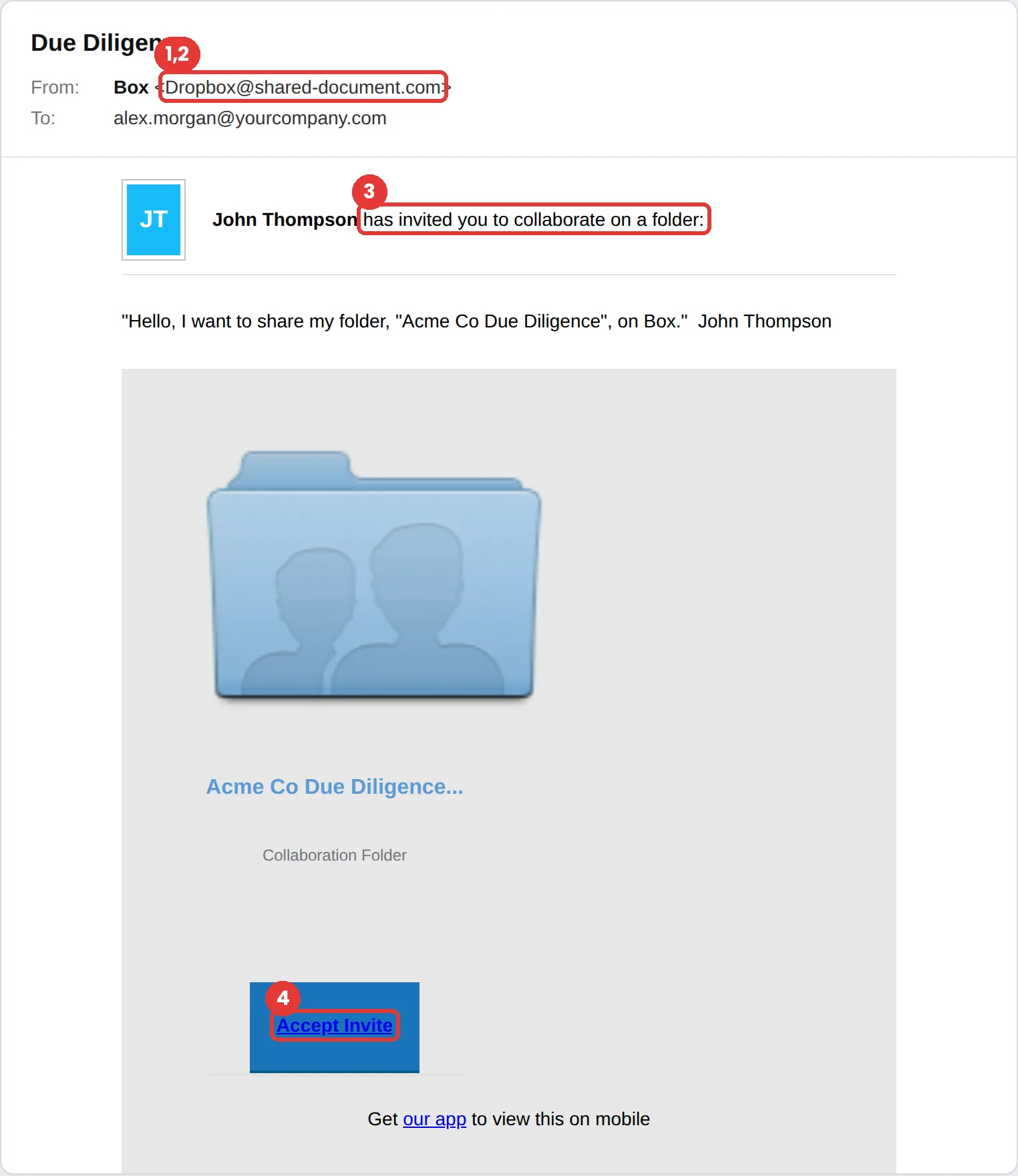
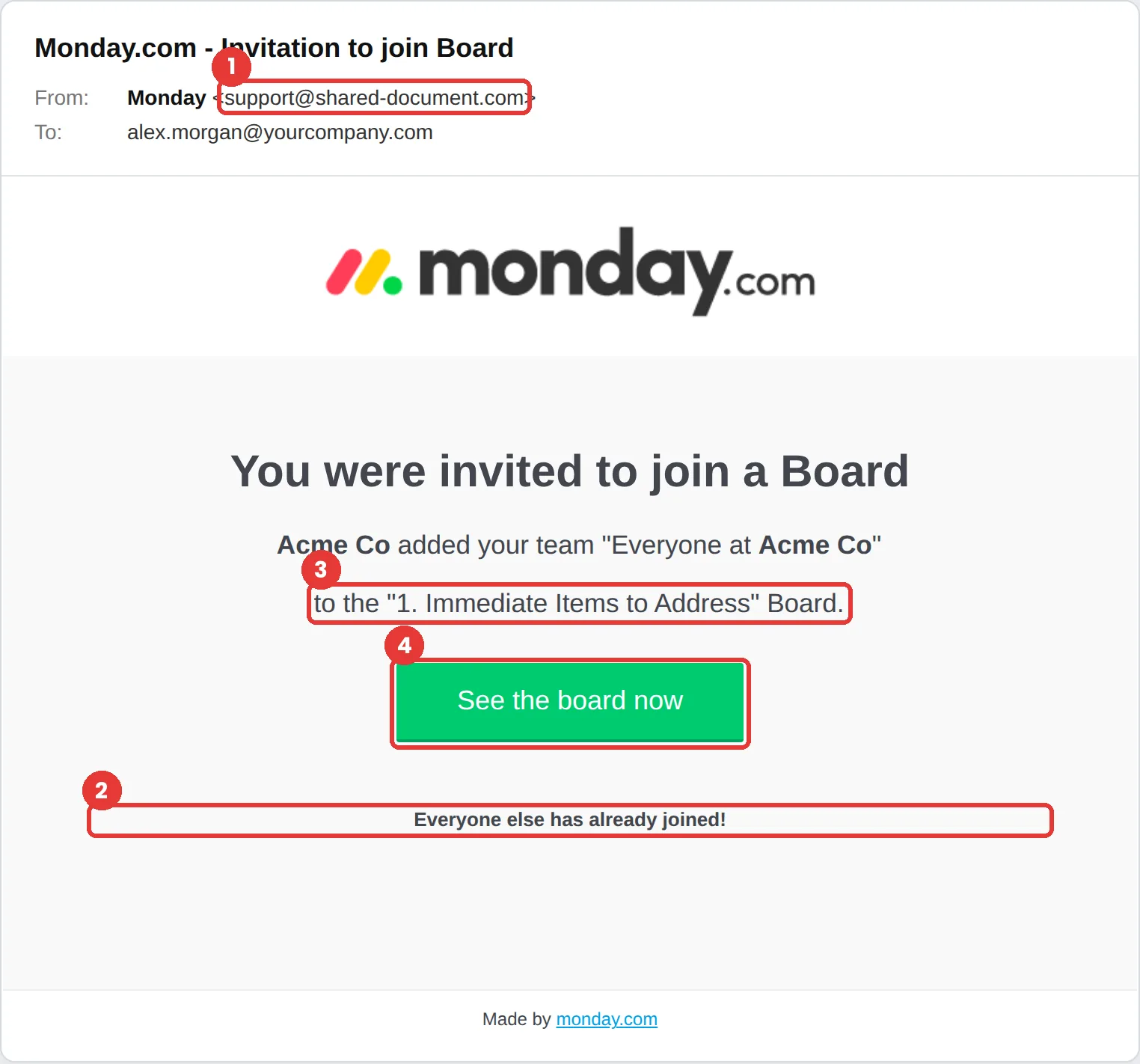
"A colleague shared a document with you"

Trust
Pretends to be
SharePoint, Google Drive or Dropbox
What it looks like
A file-share notification with a real-looking preview thumbnail and an Open button. The sender is sometimes a genuinely compromised colleague, which removes most of the usual warning signs.
The tell
You were not expecting a document, the file name is generic, and the Open button leads to a sign-in page rather than to the file.
What to do instead
Check with the sender on another channel. If their account is compromised, you have just told them.
07

"Direct deposit update request"

Helpfulness
Pretends to be
An employee, sent to HR or payroll
What it looks like
A polite request to update bank details before the next pay run, sometimes with a filled-in form attached. Aimed at the person whose job is to be accommodating.
The tell
It arrives from a personal address, the timing is just before payroll closes, and it discourages a phone call by saying the sender is in meetings.
What to do instead
Bank detail changes should always require verification on a known number. This is worth a written policy.
08

"Open enrollment closes tonight — action needed"

Scarcity
Pretends to be
A benefits provider
What it looks like
A deadline message about benefits, bonuses or an expiring allowance, with a portal link. Effective because missing a real benefits deadline has genuine personal cost.
The tell
The deadline is tighter than your organization’s actual one, and the portal domain is not the provider you use.
What to do instead
Confirm the deadline with HR before acting on any benefits message.
09

"12 of your colleagues have completed this"

Social Proof
Pretends to be
An internal training or IT system
What it looks like
A nudge saying most of your team has already completed a required action, with a link to catch up. Compliance feels normal because everyone else has supposedly done it.
The tell
Real internal systems rarely name a colleague count, and the link bypasses your usual single sign-on.
What to do instead
Access internal systems the way you always do. If the task is real, it is already in your queue.
10

"Your password expires in 24 hours"

Urgency
Pretends to be
IT or your helpdesk
What it looks like
A password expiry warning with a link to keep your current password — an option that does not usually exist, but sounds appealing enough that people take it.
The tell
Your organization’s real expiry notices come from a system you recognize, and no legitimate process lets you retain a password by clicking an email link.
What to do instead
Change passwords only from inside your normal account settings.

What to do if someone clicks

Report it, change the password for any account where credentials were entered, and sign out of active sessions. That is the whole procedure, and speed is the only variable that matters.

The thing that lengthens an incident is not the click — it is the twenty minutes someone spends deciding whether they are about to get in trouble. Organizations that treat a click as a disciplinary matter get fewer reports, later, and pay more for them. Measure reporting rate and time-to-report, not click rate alone.

How to practise this safely

Reading examples builds recognition. Meeting one in your own inbox builds the habit. A phishing simulation sends a safe version of these patterns to your own people, so the first encounter costs nothing and the reporting reflex gets rehearsed rather than explained.

See how Hook Security runs phishing simulations, or read what cyber insurance underwriters expect you to document.

Common questions about phishing emails

Messages that impersonate a login or security alert — a blocked sign-in, an expiring password, a shared document that asks you to authenticate. They work because the requested action, signing in, is something you do many times a day without thinking about it.

Check three things before anything else. Does the sending address match the display name? Does the link, on hover, go where the text claims? And were you expecting this message at all? Most phishing emails fail at least one of those, and the third catches the ones that pass the first two.

Report it immediately, then change the password for any account you entered credentials into and sign out of active sessions. Speed matters far more than blame — the faster it is reported, the smaller the incident. If your organization treats a click as a disciplinary matter, people hide them, and hidden incidents are the expensive ones.

Because phishing does not target intelligence, it targets circumstance. These messages exploit six predictable tactics — urgency, scarcity, trust, helpfulness, authority and social proof — that work on attentive, busy, conscientious people. Someone rushing to be helpful before a deadline is exactly who these messages are built for.

A simulation is a safe version of a real message, sent to your own people, so the first time someone meets a pattern it costs nothing. The measure that matters is not how many people clicked but how many reported it, and how quickly — reporting is the behavior that actually shortens an incident.

Find out how your team responds — before an attacker does.

Thirty minutes, a live account, and a straight answer about where your people actually stand.